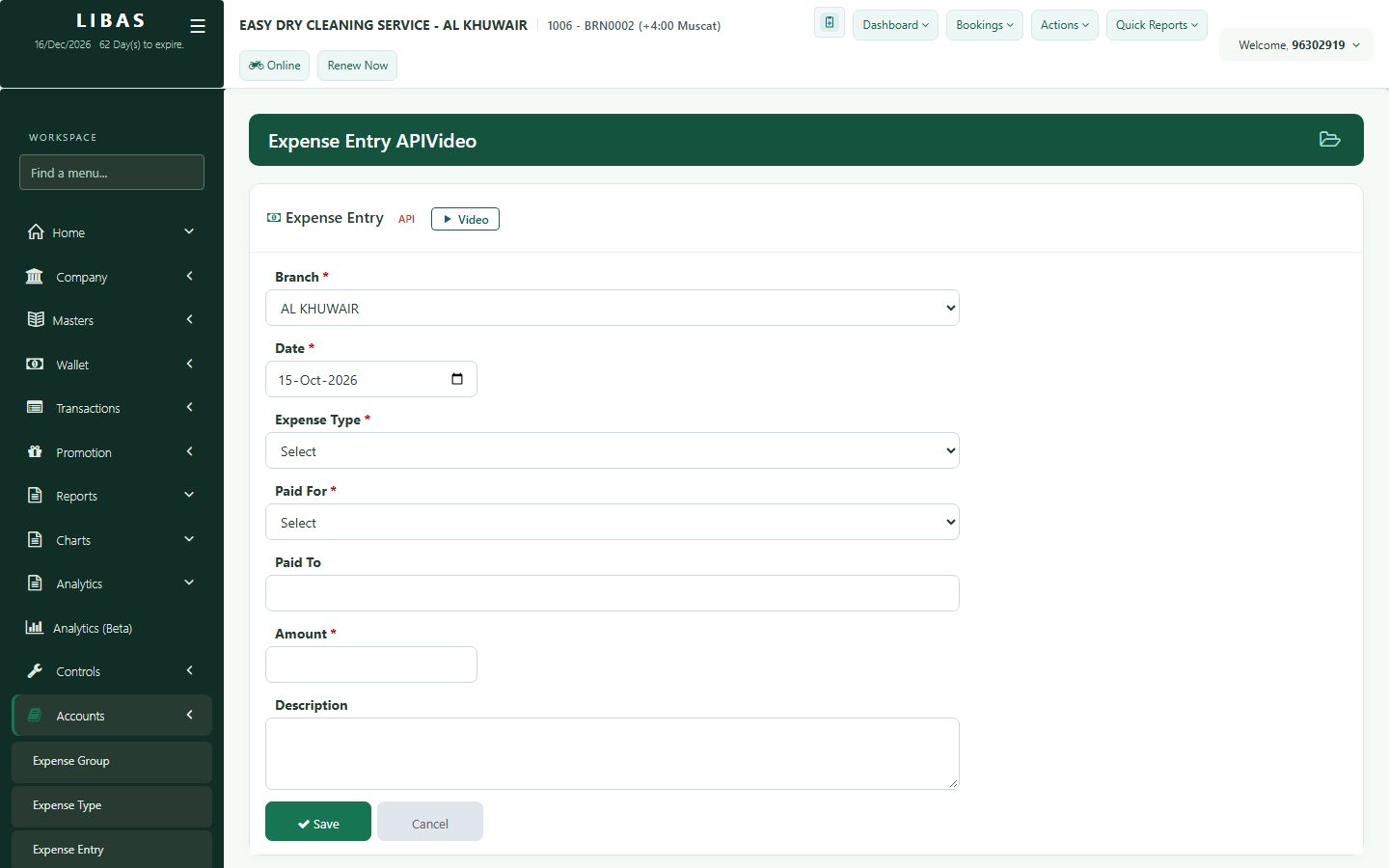
Record an expense
Record the branch's daily expenses so the owner sees the real profit of the day.
Where to find itAccounts › Expense Entry (or Actions › Expense Entry)
Steps
- Choose the expense type.
- Choose who it is for and who was paid.
- Type the amount and a short note.
- Press Save.