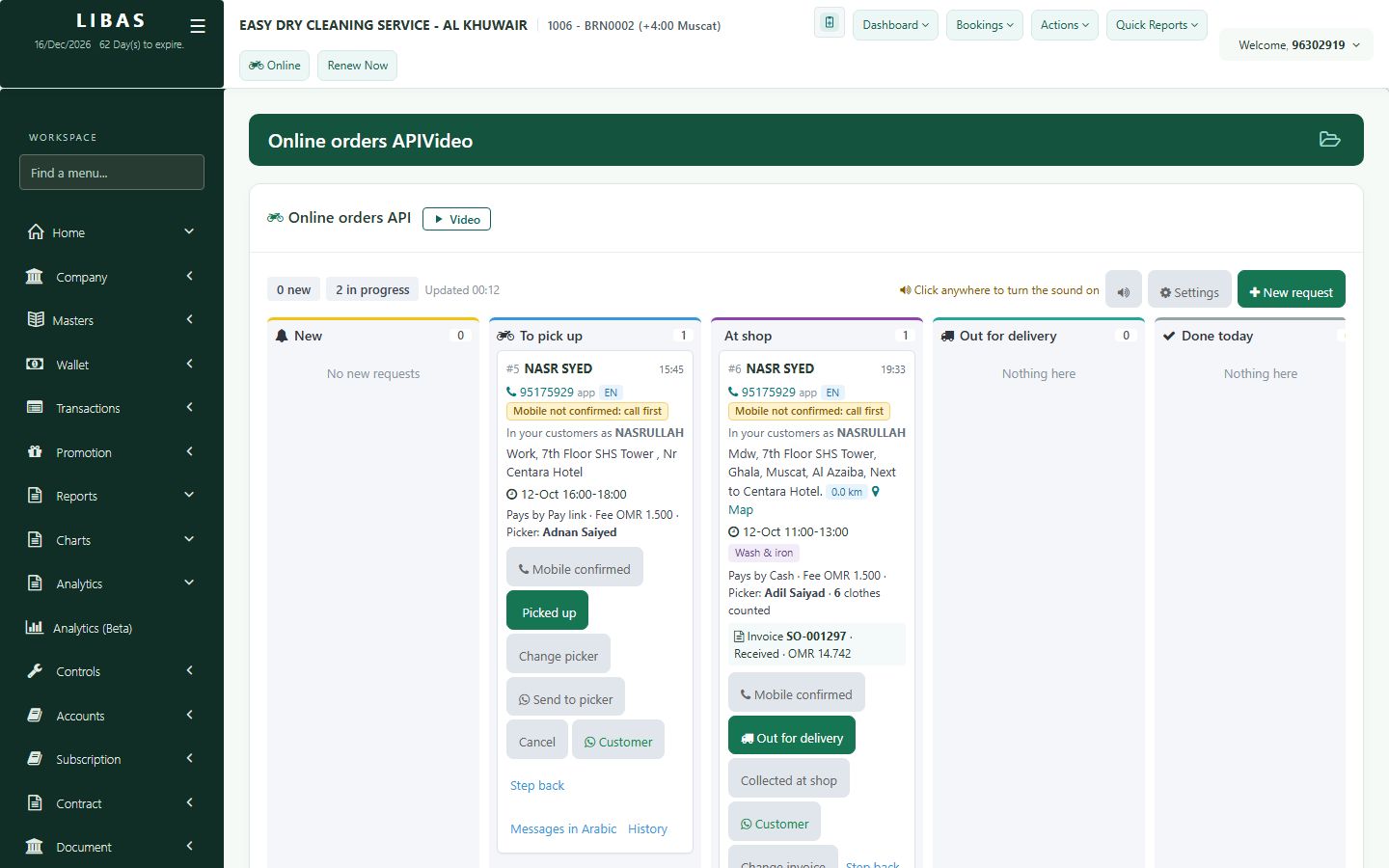
Online pickup board
Pickup requests from the Libas customer app arrive here with the address and pickup time. Accept, collect at the door, and deliver the ready orders on one route.
Where to find itOnline (top bar)
Steps
- Open Online from the top bar. New requests show the address and pickup time.
- Accept the request and choose the driver.
- After collection, the order becomes a normal invoice, flagged Online.
- Ready orders go out for delivery together on one route.