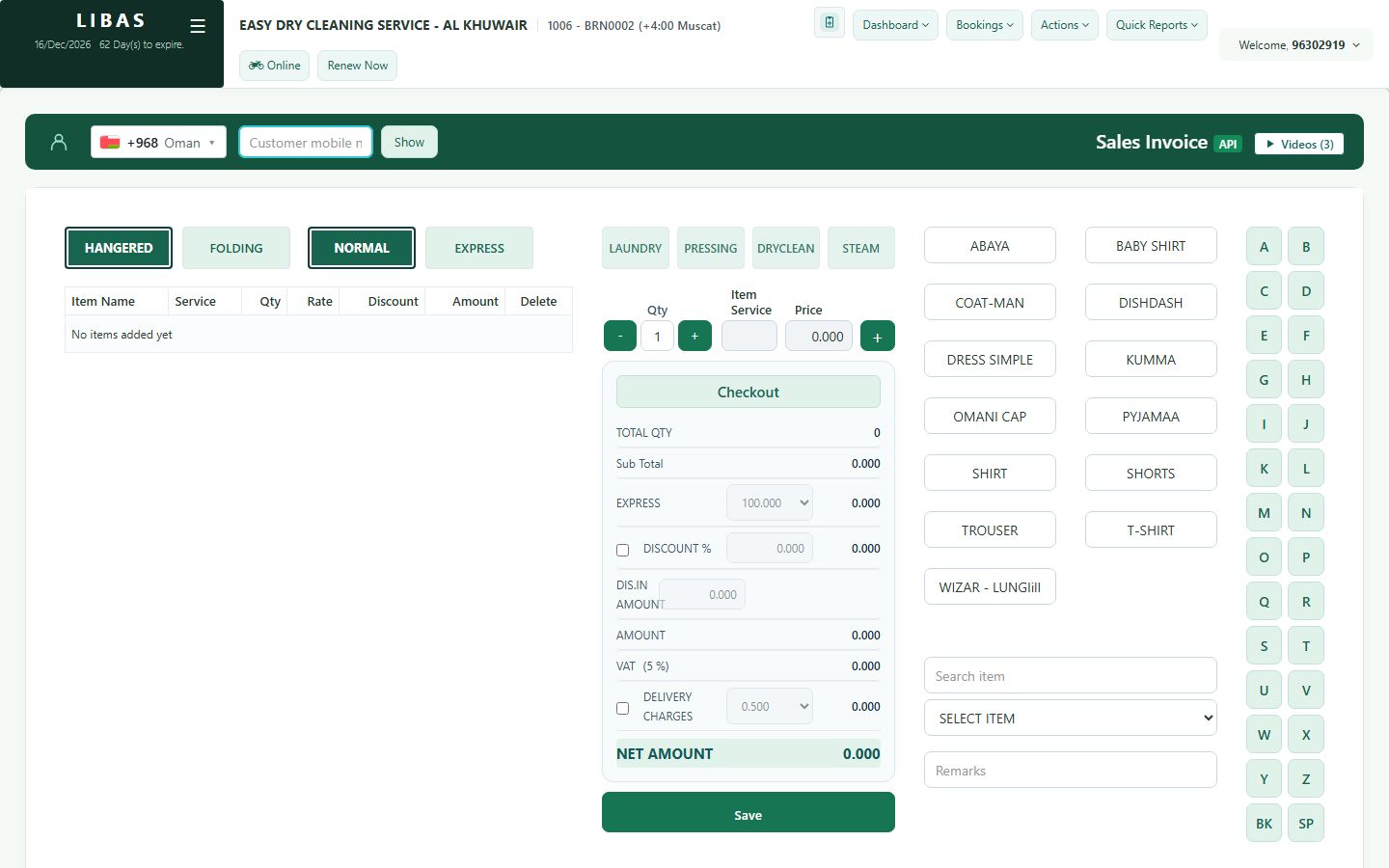
Take a new order
Find the customer by mobile number, add each item with its service and quantity, and save. The receipt prints at once.
Where to find itBookings › General (or Transactions › Inward)
Steps
- Type the customer's mobile number and press Show. The customer appears with their price list and balance.
- Search the item, for example Shirt, or tap it in the item buttons on the right.
- Choose the service: Laundry, Pressing, Dry clean or Steam.
- Set the quantity with − and +, then press + (add) to put the line in the order.
- Repeat for every item. Choose Hangered or Folding and, if the customer is in a hurry, tap Express - the express charge is added.
- Check the Net amount and press Save. The receipt prints.