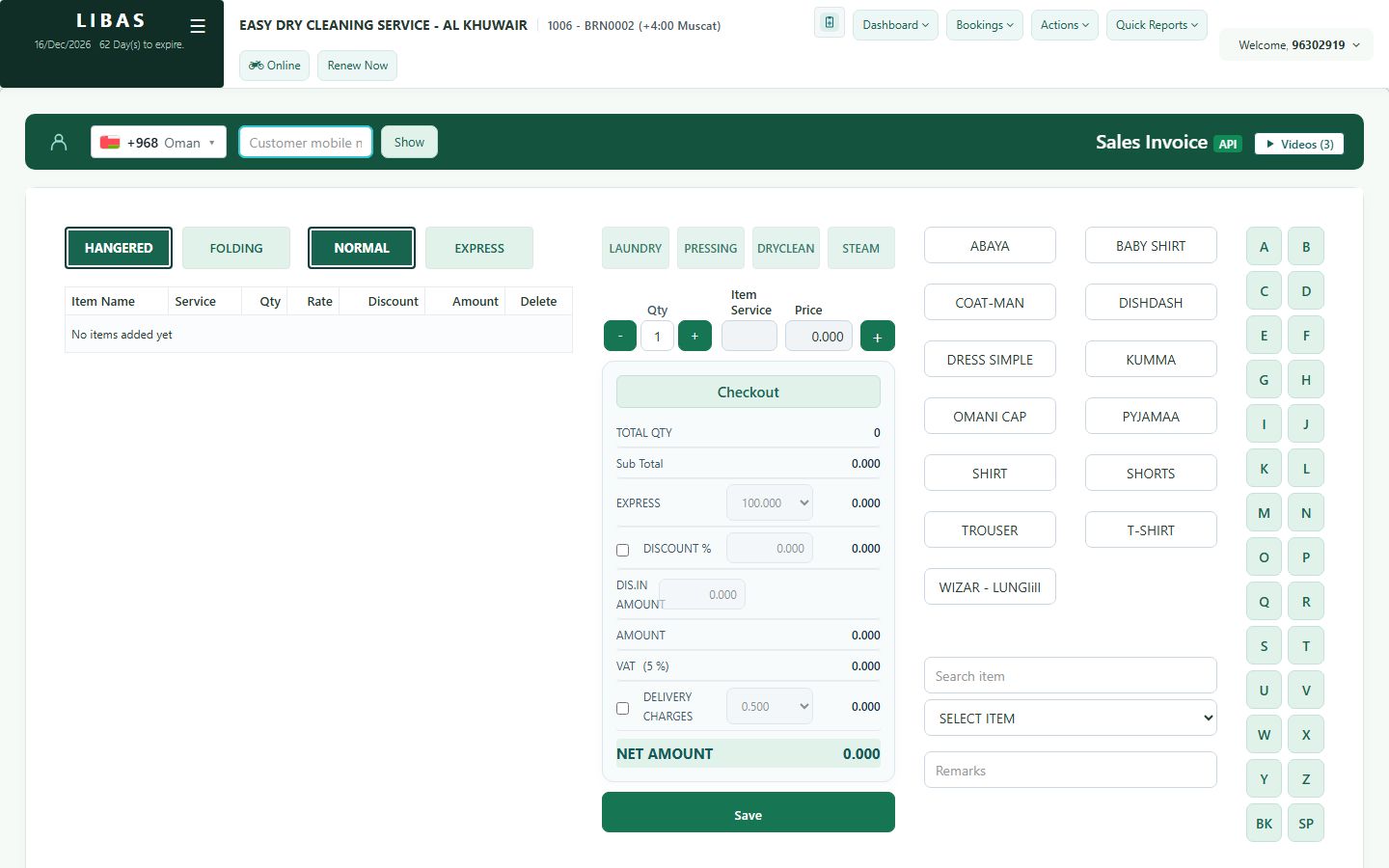
Discount and home delivery
On the order screen you can give a discount, add a home-delivery charge and write remarks before you save.
Where to find itBookings › General
Steps
- Add the items as usual.
- Tick Discount % and type the percent. The total updates at once.
- For home delivery tick Delivery charges and choose the charge.
- Write Remarks: stains, missing buttons, special care.
- Check the Net amount and press Save.